Closer than a video call.
Smoother than a meeting.
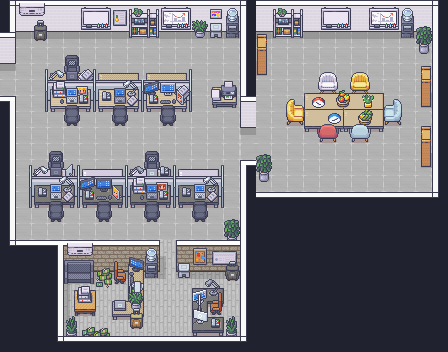
A pixel-art space where your team works side by side. See who's at their desk, walk over, and step into a room to talk: no meeting links, no scheduling. A light, native app for the Mac.


How it works
Everything happens where your people already are: on the map.


Your team on one map
Everyone has an avatar and a desk. A green dot says someone is at their computer, a yellow one that they stepped away. Want to talk? Walk over.
Step into a room to talk
Rooms are drawn on the map, like meeting rooms in an office. Walk in and you hear everyone inside; walk out and you're gone. Turn the camera on when you want to see faces; without it, your avatar takes the card.
M microphone V camera L layout


Share your screen, and let them point
Share a whole screen or one window. Whoever watches can point and click on it, and you see their arrows on your real screen, right where they mean. The rest stays out of your way: a thin frame, a small tab on the edge, and the app you're presenting never loses the focus.
S share your screen F full screen
React without interrupting
Say yes, applaud or ask a question without taking the floor. Reactions rise over the cards, over a shared screen, even on the presenter's real screen, and pop up above your avatar for the whole space.
E reactions 1…9 send one
 Elia

 1
 2
 3
 456
 7
 89
Why Loci Space

A home for your team
Every day you come into the same place as your colleagues. Working remotely stops feeling like working alone.

Fits your flow
A question is a few steps away, not a calendar invite. Talk, then get back to work: the app stays out of your way and never steals the focus.

Collaborate, for real
From a quick question to a whole afternoon on the same problem: you talk, show, get your hands on the same thing and figure it out together.
 coming
Knowledge with an address
What your team chooses to keep lives in your space, not scattered across chats and docs. Ask for it from anywhere in the space.

Your knowledge, your place. Your team decides what to keep and where it lives. Nothing is recorded unless you turn it on, and nothing tracks what you do.
About the name
Loci is Latin for places. The method of loci is the ancient art of remembering by tying things to places: you walk through a room in your mind and find what you left there.
We think a remote team deserves a place too. Not another tab with a meeting link, but a place you share every day, where working together comes as naturally as in the same room.
Every place
has a spirit.
This one is
your team's.
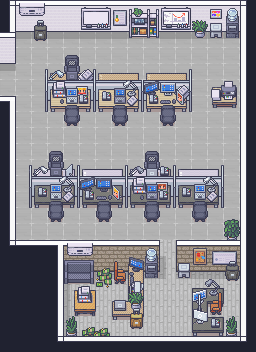
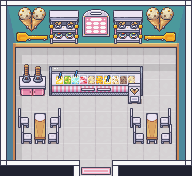
Pick a map
Every space starts from a map, and you pick it when you make the space.